
DocPro · Agent
PTAS DocPro Invoice Agent
Tables read row by row rather than as flat text, totals and tax checked before hand-off, and every value scored for confidence.
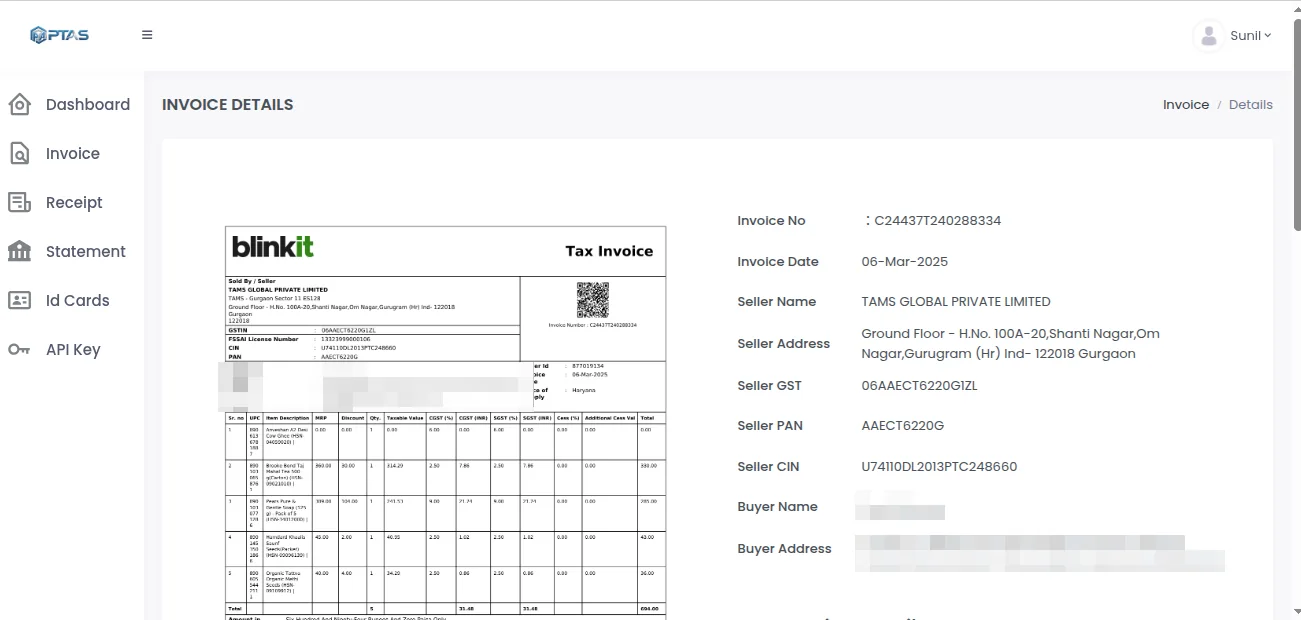
Input
What the Invoice Agent reads
Supplier invoices in whatever shape they arrive: a three-page PDF with the line table running across pages, a scan with a stamp over the total, a photo of a handwritten amendment.
Reads
Any supplier layout
Fields are located by context, so a supplier you have never onboarded works on day one and a redesigned template does not break the next invoice.
Reads
Multi-page line tables
A table that continues onto page two stays one table, with the row order and the subtotals exactly as printed.
Reads
Credit notes and proformas
The document type is settled before extraction. A credit note is returned as a credit note with negative effect, not as an invoice that looks odd.
Reads
GST detail
Supplier and buyer GSTIN, place of supply, HSN or SAC per line, and the CGST, SGST and IGST split, each as a separate value.
Reads
Stamps, signatures and handwriting
Handwritten amendments and stamped approvals are read where legible and flagged where not. They are never silently dropped.
Reads
Email attachments
A supplier email with the invoice attached is picked up from a watched mailbox; the attachment is classified and the rest of the mail is ignored.
Output
The fields that come back
Header, line table and tax block are three regions of one record, and every field inside them carries its own score. The figure shows a two-page invoice with one handwritten row.
One invoice, as the agent returns it · Illustrative example
Thirteen fields cleared the threshold and posted. One handwritten amendment did not, so that row alone went to review.
Typed values
Dates as dates, amounts as numbers, currency as a code.
Line array
Description, quantity, unit price, discount, tax rate and line total, in printed order.
Resolved vendor
The supplier matched to your master and returned with its identifier.
Validation and confidence
Checked before it leaves
A value that reads cleanly can still be wrong. The agent runs the checks a careful AP clerk would run, before anyone sees the record.
Confidence is per field. The invoice number can score 0.99 while a handwritten quantity on row nine scores 0.71, and the record says so. You set the threshold per field type: most teams want totals and the GSTIN near the top of the scale and will accept a lower bar on a remarks line. On supported standard invoice formats the agent reaches 95–98% field-level accuracy; on stamped, handwritten or low-resolution pages the scores drop, and the record shows exactly which fields dropped.
Review is where that threshold does its work. A reviewer opens the queue, sees row nine and the reason, confirms or corrects the quantity, and the record continues. The correction is logged against the field and against the reviewer. Nothing is re-keyed, and the thirteen fields that cleared are never touched by a person. That is a control working as designed, not an extraction that failed.
Illustrative output
One invoice, as your system receives it
A single-line freight invoice, chosen because it is short enough to read in full. The values are invented for this page and are not customer data.
On the page
Returned (illustrative)
{
  "document_type": "tax_invoice",
  "invoice_number": "NG-26-00913",
  "invoice_date": "2026-09-02",
  "due_date": "2026-10-02",
  "currency": "INR",
  "vendor": {
    "name": "Northgate Logistics",
    "gstin": "06AAACN0000A1Z5",
    "vendor_id": "V-2093"
  },
  "po_reference": "PO-88302",
  "lines": [
    {
      "row": 1,
      "description": "Freight, Narnaul to Pune",
      "hsn_sac": "996511",
      "quantity": 1,
      "unit_price": 100000.00,
      "tax_rate": 0.18,
      "line_total": 100000.00,
      "confidence": 0.97
    }
  ],
  "taxable_amount": 100000.00,
  "igst_amount": 18000.00,
  "total_amount": 118000.00,
  "validation": {
    "lines_sum_to_subtotal": "pass",
    "tax_recompute": "pass",
    "gstin_format": "pass",
    "duplicate_check": "clear"
  },
  "confidence": {
    "invoice_number": 0.99,
    "invoice_date": 0.98,
    "vendor.gstin": 0.96,
    "total_amount": 0.99
  },
  "review": []
}
Downstream
Where the record goes next
Extraction is the start, not the outcome. These pages describe what happens once the invoice is a trusted record.
Invoice Automation
01The solution page: the invoice-to-posting workflow this agent starts.
FinSuite AP Automation
02PO and GRN matching, approval bands and ERP posting on the record the agent returns.
DocPro API
03Submit, poll, webhook, and how a reviewed record reaches your system.
FAQ
Questions Teams Ask
What exactly is in the response?
Typed header values, an ordered array of line objects each with its tax rate, a tax block split by CGST, SGST and IGST, the resolved vendor identifier, a confidence score against every field, the validation results and a list of any fields held for review. A total that does not recompute is reported in the validation block rather than returned as fact.
Do we need a template for each supplier?
No. The agent locates fields by structure and context rather than by position, so a new supplier works on their first invoice without setup. If a supplier redesigns its layout and confidence drops on some fields, those fields route to review and the log tells you which supplier changed.
How are reviewed invoices returned to our system?
The same way an unattended one is. When the reviewer resolves the held fields, the completed record is delivered by webhook or made available to poll, with the corrected values and a marker on each field a person touched. Your system receives one final record, never two versions to reconcile.
Can we add fields a standard invoice does not carry?
Yes. Cost centre, project code, contract reference, delivery note number: anything your process needs is defined in business terms during onboarding and returned alongside the standard set, with the same scoring and the same review rules.
What volume can it take?
Throughput is sized to your volume during onboarding rather than quoted as a fixed number, because it depends on page count, image quality and how much validation you run. A single invoice returns in seconds; a month-end batch runs unattended and the review queue shows what is left for a person.
Keep reading
Related Capabilities
DocPro
The platform this agent runs on: the workflow, the trust model and the other five agents.
Read more →DocPro Purchase Order Agent
The other side of the match, read and normalised the same way.
Read more →Invoice Automation
The business problem this agent solves, from capture to posting.
Read more →Custom Document Agents
When the document is not an invoice at all.
Read more →Next step
Point it at a real invoice
Upload one now, or send a month of them for a demo. Compare the JSON against your own records line by line; that is the benchmark worth having.