
FinSuite · Module
PTAS FinSuite Vendor Management
Onboard, verify tax and bank details at source, and risk-score vendors before the first invoice ever enters your payables run.
The vendor master
Clean Before It Is Useful
Wrong payment, duplicate bill, failed match: every downstream problem in payables traces back to a vendor record nobody verified.
Intake
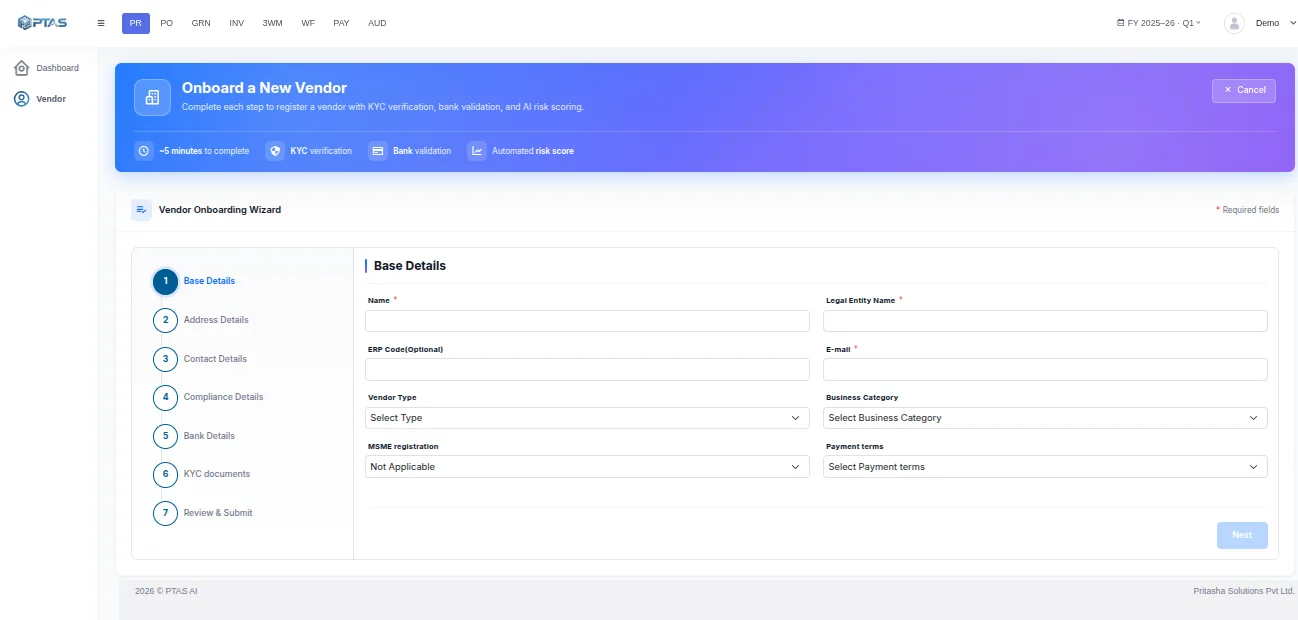
Self-serve onboarding
Vendors submit their own details and documents through a link, so nobody on your side retypes a bank account from an email.
Intake
Document collection
Registration certificates, tax forms and bank letters are gathered and read in the same pass, not chased one at a time.
Verification
Tax registration
GSTIN and equivalent registrations are checked against the issuing authority, not merely validated for format.
Verification
Bank account
A penny-drop confirms the account exists and that the name on it matches the legal entity you are onboarding.
Integrity
Duplicate prevention
New records are checked against the existing master on tax ID, bank account, legal name and address before they are created.
Integrity
Ongoing risk
Lapsed registrations, changed bank details and dormancy re-score a vendor on live signals, not once at onboarding.
Verification
Checked at Source, Not Taken on Trust
A registration number that looks right and a bank account that exists are different claims. The agent tests both.
Northgate Logistics — onboarding result · Illustrative example
Penny-drop
The account is proven to exist and to belong to the right name.
Duplicate check
Four signals compared, so a renamed vendor is still caught.
Change alerts
A bank detail change raises a review, never a silent update.
Controls
The Parts an Auditor Asks About
Bank change control
A change to payment details always re-verifies and re-approves. It cannot be applied quietly from an inbound email.
Segregation of duties
Whoever onboards a vendor cannot also approve it. The split is enforced by role, not by convention.
Watchlist screening
Names and registrations screened at onboarding and again on a schedule, with the result kept on the record.
Full audit trail
Every field change, verification result and approval is recorded with who, when and on what evidence.
FAQ
Questions Teams Ask
Can vendors change their own bank details?
They can submit a change through the portal, but it never applies silently. A bank detail change re-runs verification, raises an approval task, and is recorded against the vendor with the evidence attached. Invoice fraud almost always arrives as a plausible request to update payment details, so this path is deliberately slow.
What stops a duplicate vendor being created?
Before a record is created it is compared against the existing master on tax registration, bank account, legal name and address. A close match is surfaced for a decision rather than blocked outright, because genuine cases exist, such as different entities of one group.
Do you screen against sanctions and watchlists?
Yes, at onboarding and then on a schedule you set, since a vendor clean on the day you added them may not stay that way. Results are stored on the vendor record so an auditor can see what was checked and when.
How does this sit with the vendor master in our ERP?
FinSuite runs the onboarding and verification workflow; your ERP stays the system of record. Approved vendors are written across with their verified details, and later changes flow the same way, so the two do not drift apart.
Keep reading
Related Capabilities
AP Automation
What a verified vendor makes possible: clean matching and confident payment.
Read more →Procure-to-Pay
Where vendor onboarding sits in the wider commitment cycle.
Read more →KYC Document Processing
The DocPro agent that reads the identity documents behind onboarding.
Read more →FinSuite
The full finance workflow this capability feeds.
Read more →Vendor Management Automation
Onboarding, verification and bank-detail changes run as one controlled process.
Read more →Next step
Start With the Vendors You Already Have
Run your existing master through verification first. The duplicates and lapsed registrations tend to be the surprise.