
Solutions · Procurement
Procure-to-Pay Automation
One unbroken cycle from purchase order to payment, with agents holding the match, the approval thresholds and the audit trail.
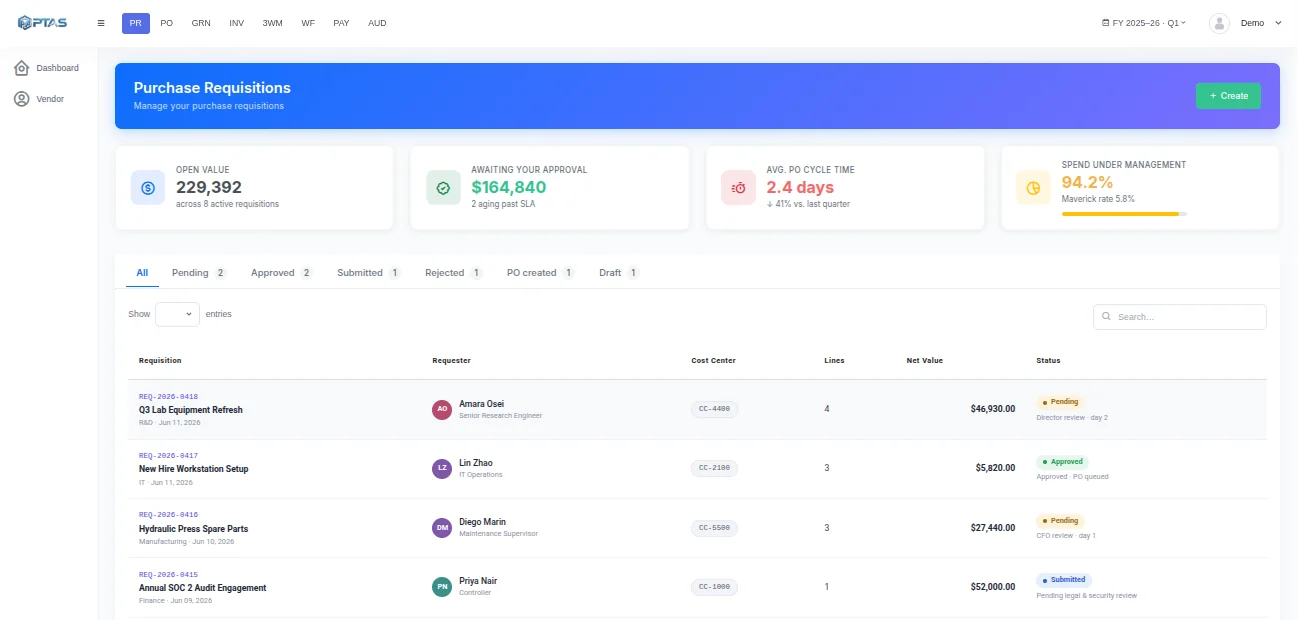
The cycle
One Thread From Request to Payment
Procure-to-pay breaks where the handovers are — request to order, order to receipt, receipt to invoice. Agents hold those joins.
Commit
Requisition
Requests are captured with the budget line they draw on, so the commitment is visible before anyone has promised a supplier anything.
Commit
Budget check
Available budget is tested when the request is made, rather than discovered to be gone when the invoice turns up.
Order
PO issue
Approved requests become purchase orders and reach the supplier without anyone re-keying the lines.
Order
Change control
Amendments are tracked against the original order, so a revised quantity or price does not quietly break the match.
Settle
Receipt capture
Goods received notes are recorded against the order, including partial deliveries and over-receipts.
Settle
Payment
Approved invoices are scheduled by their terms, posted, and linked back to the order they came from.
Visibility
Committed Spend, Not Just Invoiced Spend
The month looks very different when you can see what has been ordered as well as what has been billed.
One purchase, end to end · Illustrative example
Committed spend is visible from the third row onward — three weeks before the invoice makes it real.
Committed spend
What is ordered but not yet invoiced, visible all month.
Partial receipts
Quantities accumulate against the order across deliveries.
Order amendments
Revisions tracked so the three-way match still holds.
Shapes it takes
Not Every Purchase Runs the Same Way
FAQ
Questions Teams Ask
Do we have to automate the whole cycle at once?
No, and most teams do not. The common path is to start at the invoice end, where the volume and the pain are, then extend backwards into receipting and ordering once matching is reliable. Each stage works on its own and the cycle closes as you add them.
Our purchase orders live in the ERP. Does that matter?
No. FinSuite reads the orders and receipts from wherever they are raised and uses them for matching. Your ERP stays the system of record for the order; what FinSuite adds is the workflow around it and the match at the end.
How are partial deliveries handled?
Received quantities accumulate against the order line, so a delivery of 60 against an order of 100 leaves 40 open. The match runs against what has actually been received rather than what was ordered, which is what stops early invoices being paid in full.
Can requesters see where their request has got to?
Yes. A requester can follow a request from raising it through approval, order, receipt and payment without emailing procurement to ask. Most of the chasing in a P2P cycle is people trying to find out what happened.
Keep reading
Related Capabilities
AP Automation
The settlement end of the cycle, in depth.
Read more →Vendor Management
Getting the supplier verified before the first order.
Read more →Purchase Order Processing
The DocPro agent that reads orders and matches them to bills.
Read more →FinSuite
The full finance workflow this capability feeds.
Read more →Next step
Start at the Invoice and Work Backwards
Most teams automate settlement first, then extend into receipting and ordering once the match is holding.