
Solutions · Procurement
Vendor Management Automation
Onboarding, verification and master data handled before the first invoice, not after the first problem.
Why vendor management is hard
The vendor master, as people describe it
Nobody complains about master data. They complain about the supplier who needed setting up by Friday, the one who is in the system twice, and the bank account that changed on the strength of an email.
What you hear
Can you onboard them by Friday?
A buyer has already agreed the price. Finance gets a scanned cheque, a PAN card photo and a WhatsApp forward of the GST certificate, and is asked to make it work.
What you hear
We have them in the system twice
Once as a proprietorship, once as a private limited company, with two bank accounts. Spend reports split the supplier in half and nobody notices the second account was never verified.
What you hear
The bank details changed
An email from an address that looks right asks to update the account before the next payment. Somebody updates it. The real supplier calls a month later.
What is underneath
Verification is a form, not a check
The supplier declares a GSTIN and a bank account and signs to say they are true. Nobody queries the registry or sends a rupee to the account to see whose name comes back.
What is underneath
The master is where documents go to age
A GST registration cancelled last year is still active in your ERP, because the master was built on the day of onboarding and never looked at again.
What is underneath
Onboarding and payables do not talk
Vendor setup is one team, invoice processing is another. The first problem with a new supplier surfaces on their first invoice, which is the most expensive place to find it.
How PTAS AI automates it
Verify first, create second
The vendor record is the output of the checks rather than the thing that gets checked later. Nothing is created in the ERP until the registration, the bank account and the identity have been confirmed against a source other than the supplier.
-
01
Understand
DocPro reads the onboarding pack as fields: legal name and PAN from the PAN card, GSTIN, registered address and status from the GST certificate, account number and IFSC from the cancelled cheque, and the Udyam number where the supplier claims MSME status. Each field carries a confidence score and a link to where on the page it came from.
A pack of scans becomes a record
-
02
Decide
FinSuite tests that record against the outside world and against you. Is the GSTIN active and does the legal name match the PAN? Does the bank account respond to a penny-drop with the same name? Is any of this already in your master under a different spelling? Do the directors appear against an existing supplier or on a watchlist?
Checks run against sources, not declarations
-
03
Act
A clean supplier is routed to the approver your rules name for that category and spend band, then created in the ERP with the documents attached and a risk rating on the record. Anything that failed a check is held with the specific reason, and the supplier is asked for exactly what is missing rather than the whole pack again.
The ERP record is created by the workflow, not typed
-
04
Verify
The checks do not stop at onboarding. GST status is re-queried on a schedule, a change to bank details triggers a fresh penny-drop and a second approver, and the risk rating is re-scored when something moves. Every check, who saw it and what they decided is on the vendor's audit trail.
A supplier stays verified after onboarding
The workflow
What one supplier's onboarding looks like
Six checks, each against a source rather than a declaration, and each recorded on the vendor so that the answer to "how do we know?" is on the screen rather than in someone's memory.
Northgate Logistics — onboarding result · Illustrative example
Nothing taken on the supplier's word
Registration, bank and identity are queried at source and the result is recorded.
One pack, asked for once
The supplier is asked only for what failed, with the field named.
Rated, and re-rated
Risk is a score on the record that moves when the signals move.
Key capabilities
Eight things the workflow has to do well
A supplier portal on its own moves the form online. The verification, the screening and the monitoring are what make the master trustworthy.
Intake
Supplier self-service pack
The supplier enters details and uploads documents on a link your buyer sends. Mandatory fields depend on category and country, so a domestic services vendor is not asked for an import code.
Intake
Documents read as fields
PAN card, GST certificate, cancelled cheque, MSME certificate and incorporation documents read by DocPro, with the typed value and the document value compared before anything else runs.
Checks
Registration verification
GSTIN existence and status, PAN format and name match, and Udyam registration checked against the registries rather than against the certificate image.
Checks
Bank account verification
A penny-drop to the account, with the beneficiary name the bank returns compared with the legal name on the PAN. A mismatch holds the vendor with both names shown.
Screening
Duplicate and related-party detection
PAN, GSTIN, bank account, phone, email and address compared with the whole master, including fuzzy matches on name and address. Director overlap with existing suppliers is flagged for a person.
Screening
Watchlist screening
Entity and director names screened against the lists you specify, with the match score and the list shown to the reviewer rather than a bare hit.
Flow
Risk-based approval
A low-risk domestic vendor under a spend band might need one approver. A new vendor with a recent bank change and an overseas account needs two, and a reason. You set the bands.
Flow
Master creation and monitoring
The vendor is created in the ERP with your field mapping, the documents and risk rating attached. Scheduled re-verification and change-triggered checks keep the record current.
Approvals and exceptions
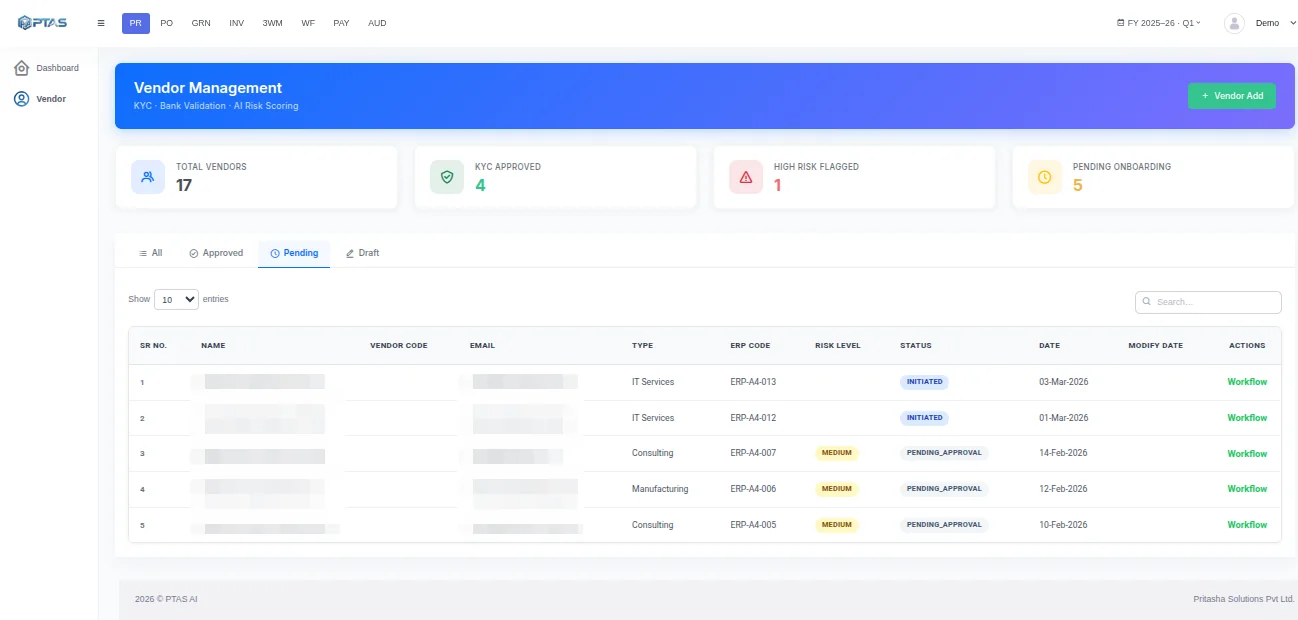
What a person actually sees
A reviewer should not be re-reading onboarding packs. They should be settling the one field that a check could not settle, with the document and the registry result side by side.
One morning's onboarding batch · Illustrative example
A reviewer opening a held case sees one line to settle. That is the difference between a queue that clears and one that grows.
A legal name on the PAN that differs from the name the bank returned, a GST certificate that expired last quarter, a director who also appears on an existing supplier: these are the holds. Each lands with the person your rules name for that category and risk band, says what stopped it, and escalates if nobody acts within the window you set. Approving a vendor from a phone is fine. Approving one without the check results on the screen is not, and the workflow does not offer it.
Business outcomes
What changes, and how you would measure it
We do not quote improvement percentages before seeing your master. We do agree the measures up front, on your numbers, so the decision to extend is based on something.
What changes
Onboarding time you can state
Measure request to approved-for-payment, split into supplier time and your time. The supplier's time usually dominates, and asking only for what failed is what shortens it.
What changes
Duplicates found before creation
Count duplicate vendors caught at onboarding against duplicates found later in a spend analysis. The first number should rise and the second should fall to nothing.
What changes
Bank changes with a second pair of eyes
The share of bank detail changes that were re-verified and approved by someone other than the requester. The target is all of them, and the audit trail shows it.
What changes
Fewer first-invoice failures
Invoices from new suppliers that fail a GSTIN, bank or master check on arrival. A clean onboarding process makes this number small, and it tells you when it is not.
What changes
MSME status you can rely on
Suppliers whose MSME classification is verified against the Udyam registry, so the payment terms and interest provisions that follow from it are applied to the right suppliers.
What changes
A master you can report from
Vendors with a current registration status, a verified account and a risk rating on file, as a share of active vendors. This is the number an auditor asks for.
Integrations
Your ERP keeps the vendor master
The workflow runs in front of the ERP and creates the vendor in it with your field mapping, payment terms and reconciliation accounts. Changes made through the workflow are written to the ERP; changes made directly in the ERP are picked up and re-verified.
SAP
ERP · API, IDoc or file
Oracle
ERP · API or file
Microsoft Dynamics
ERP · API
NetSuite
ERP · API
Tally
Accounting · XML import or ODBC
Zoho
Accounting · API
QuickBooks
Accounting · API
REST API
Any system · custom
Webhooks
Status events out
Four integration methods are possible: native integration, API integration, file or flat-file exchange, and custom integration. The systems named here are planning examples; which method applies to your instance, and the scope of field mapping, is confirmed during assessment rather than assumed. See FinSuite integrations for how records and status flow.
Security and governance
Controls an auditor would recognise
The vendor master is where payment fraud usually starts. These are the controls built into the workflow, and the FinSuite security page has the detail.
Bank detail change control
A change to an account number or IFSC triggers a fresh penny-drop, a notification to the supplier's registered contact and approval by someone other than the person who requested it. Payments to the vendor pause until that completes.
Segregation of duties
The buyer who requests a vendor cannot approve it, and the person who approves a vendor cannot change its bank details. Roles are enforced in the workflow rather than assumed in a policy document.
A complete audit trail
Each vendor carries the pack it submitted, every check run and its result, who approved what and when, and every subsequent change with its evidence. Exportable for internal and statutory audit.
Data handling
PAN numbers, bank details and identity documents are masked by role and retained for the period you set. Cloud, private cloud or on-premise deployment where supported, with ISO/IEC 27001-aligned practices.
Product connection
The products that deliver it
DocPro reads the supplier's documents. FinSuite runs the verification, the approval and the master around them. The solution is the two configured to your categories and risk bands.
FAQ
Questions procurement and finance teams ask
How is this different from the FinSuite Vendor Management module page?
This page is about the problem: suppliers created on a Friday afternoon from a photo of a cheque, bank details changed on the strength of an email, and a master nobody has looked at since it was built. It describes the automated version of that work end to end, from the supplier's pack to the ERP record. The module page lists what FinSuite Vendor Management does, feature by feature. Read this one to decide whether onboarding is the right first project; read that one to evaluate the software.
What does the supplier actually have to do?
Fill one form on a link and upload their documents. If something fails a check they are asked for that one thing, with the reason, rather than being sent the whole pack again. Most suppliers would rather do this than email a PAN card to a buyer and hope it reaches the right person.
Can it verify a bank account without us paying the supplier first?
Yes. A penny-drop sends a token amount to the account and reads back the beneficiary name the bank holds, which is then compared with the legal name on the PAN. The verification is recorded on the vendor whether it passed or not. Where penny-drop is not available for a particular bank or country, the workflow falls back to document evidence and flags the vendor for a second approver.
What happens to our existing vendor master?
It gets the same checks, in bulk, before go-live. Expect to find cancelled GST registrations, duplicate accounts and suppliers nobody has paid in years. Cleaning that up is part of the project rather than a surprise during it, and the result is a master where every active vendor has a verified status on record.
How long does it take to go live?
The typical range is four to ten weeks for the onboarding workflow, and it varies with the number of ERP instances, the categories of supplier you onboard and how far the existing master needs cleaning. The first two weeks are usually spent agreeing who approves which kind of vendor, which is a conversation worth having regardless.
Keep reading
Related solutions and products
FinSuite Vendor Management
The module that runs this workflow, feature by feature.
Read more →Procure-to-Pay Automation
What happens after the vendor exists: orders, receipts and invoices.
Read more →Accounts Payable Automation
Where a badly onboarded vendor is usually found, and how to stop that.
Read more →GST Compliance Automation
The same GSTIN checks applied to every invoice line.
Read more →Next step
Run your existing master through the checks
Before onboarding a single new supplier, find out how many of the current ones have a cancelled registration or an account nobody verified. That number usually settles the question.